


Engineering office
Contracts, work and resource schedules, estimate packages, approvals and monthly quantities in one project context.
ENGINEERING. DATA. THE REAL WORLD.

The foreman records completed work, the laboratory records quality results, and engineers assemble project documents. Managers see the road project status in one system.
GISTRONG OS · WORKSPACES
Five interface mockups with sample data. Choose a screen and open it full size. All figures shown in the mockups are illustrative.
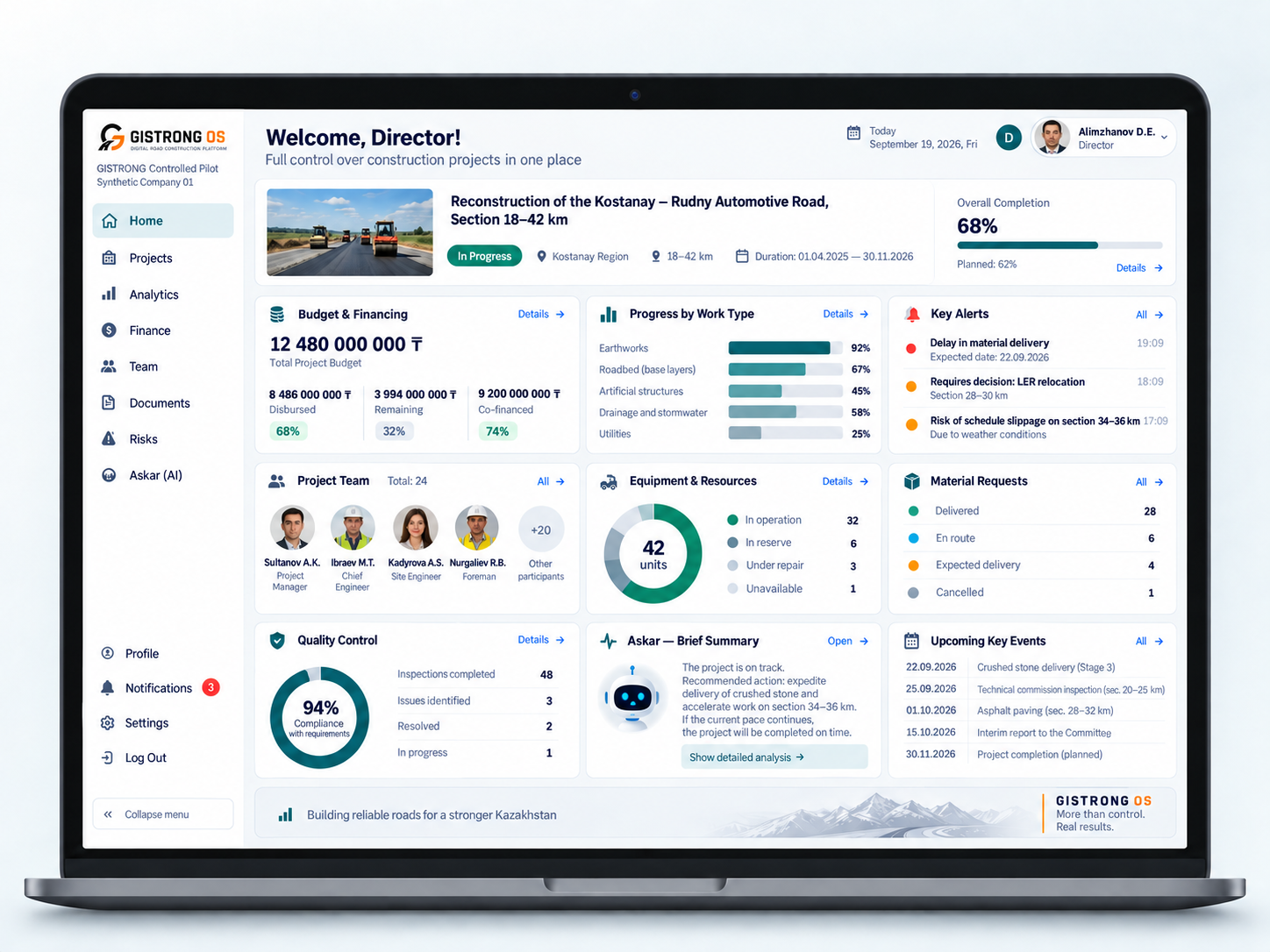
Project overview: progress, budget, team, equipment, materials and quality indicators.
GISTRONG OS
The platform connects production, engineering and management around each project. Every employee works with relevant data while leaders see the whole picture.
Contracts, work and resource schedules, estimate packages, approvals and monthly quantities in one project context.
Plan → shift task → actual work. Activities connect people, equipment, materials and photos.
Tests, quality results and as-built records are linked to work. Findings require a separate decision by the responsible person.
Requests, receipts, issues, stock and material purchasing. Site demand stays connected to procurement.
Fleet, site assignments, shifts, operating hours, faults and maintenance, with tasks for mechanics and crews.
Employee records, roles and assignments. Directors, engineers, foremen, lab staff and operators see the data relevant to their work.
Original estimates, completed quantities, resource use and changes provide a basis for monitoring project plans and costs.
A dedicated assistant for company data. Initial role scope: director, chief engineer, chief mechanic and foreman.
Configure roles, projects and workflows for your company. Agree on data migration, staff training and onboarding steps.
CONNECTED WORKFLOWS
Explore tasks, quality, equipment and documents. Choose a workspace and see how a change updates the shared overview.
This is an interactive website overview, not an application session. Changes affect this example only and reset on refresh. Modules and access terms are confirmed before onboarding.
Discuss your workflow →GISTRONG OS
One workspace for the whole team. Terms depend on the road project, not the number of employees.
The contracting company’s country determines the final terms. Website language does not change pricing.
GISTRONG
Throughout project implementation
We register the project and verify GISTRONG stabilizer use. Access is extended if the project schedule is extended.
Connect a GISTRONG projectGISTRONG OS
Per active project
Detecting region…
Starting estimates per active project. The final amount, taxes and feature availability for your country are confirmed before payment. Multiple projects are quoted individually.
The discount is calculated from the agreed monthly project fee. The billing period is matched to the project schedule.
Request a quoteCustom integrations, large archive migration and onsite training are quoted separately before work begins.
Send an inquiry with your plan or project. We confirm the company’s country and onboarding scope.
Before payment, we agree on the amount, taxes, currency, subscription period and accounting documents.
Company bank details and the available payment method are included in the invoice. Free access requires no payment.
Online card payments are being prepared. For now, subscriptions are arranged with ORICION without entering card details on this site. There are no automatic charges.
Document formats, payroll and banking integrations are agreed for your company’s country. We confirm the scope and availability of required functions before onboarding.
Provide the company, project, schedule and GISTRONG supply details. After verification, we register the project and onboard the team. Other projects require a separate agreement.
You have another 60 days to finalize documents, then 12 months to view and export the archive. Further storage or resumed work is agreed in advance. No paid subscription starts automatically.
GISTRONG OS
Sign in with your existing account. Request access if you are joining for the first time.
We review workflows and roles, agree on modules, data migration and team training, and define timing and cost before implementation.