
Customers and contracts
Inquiries, negotiations, sites, offers, versions of terms and contract documents, with relationship history in the workflow.
ENGINEERING. DATA. THE REAL WORLD.
A rental business management system: from inquiries and contracts to equipment operations, repairs and payroll.
ORICION RENT · WORKSPACES
Five interface mockups with sample data. Choose a screen and open it full size. All figures shown in the mockups are illustrative.
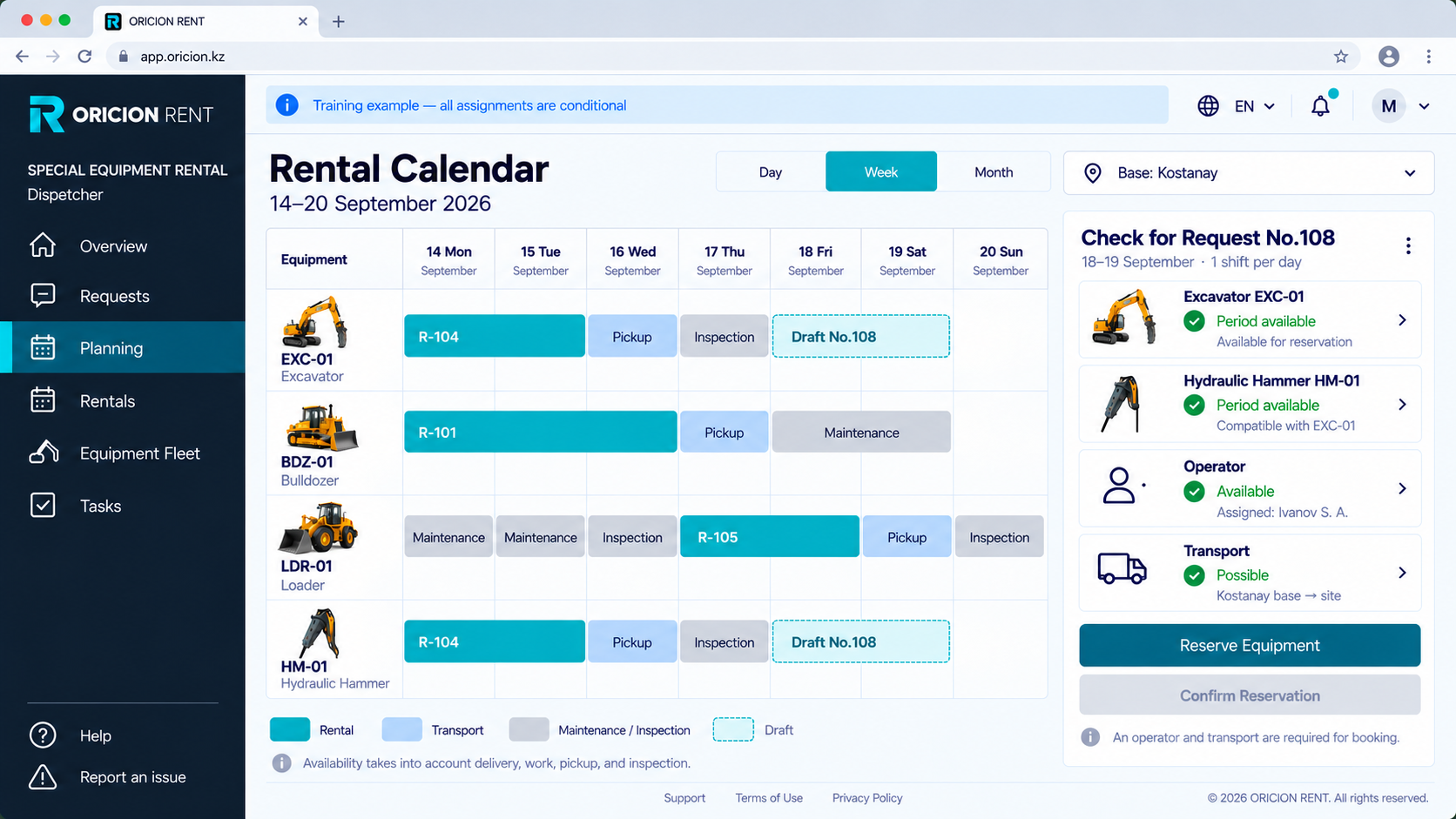
Equipment availability, transport, maintenance and reservations with operators and attachments.
ORICION RENT
ORICION RENT connects customers, contracts, fleet operations and teams in one system. Procurement, maintenance and billing are linked to each rental.
Inquiries, negotiations, sites, offers, versions of terms and contract documents, with relationship history in the workflow.
Each machine has an asset record, documents, meters and readiness status. Planning accounts for its restrictions.
Provisional and firm reservations, date conflicts and order changes. Dispatchers manage fleet workload.
Trips, inspections, equipment handover and location connect the depot, carrier and site.
Assignments, qualifications, crew composition and shift handover, with a personal workspace for each operator.
Shifts, breaks, downtime, meter readings and defects. Recorded work is reviewed and linked to timesheets.
From a fault to a machine returning to service: maintenance and repairs form part of the operating workflow.
Employee records, absences, HR documents, automatic timesheets and payroll calculations. Sensitive amounts require specific permissions.
Configure your fleet, depots, employee roles and rental workflows. Agree on modules, integrations and onboarding terms for your business.
CONNECTED WORKFLOWS
Follow the connection between reservations, equipment use, shifts and rental closeout data.
This is an interactive website overview, not an application session. Changes affect this example only and reset on refresh. Modules and access terms are confirmed before onboarding.
Discuss your workflow →ORICION RENT
From a small fleet to multiple depots. One company subscription, no rental commission and no per-employee fees.
The contracting company’s country determines the final terms. Website language does not change pricing.
Up to 3 fleet units
Up to 10 fleet units
Detecting region…
Up to 30 fleet units
Detecting region…
Up to 100 fleet units
Detecting region…
Indicative pricing for one company for the selected period. The final amount, applicable taxes and payment currency are confirmed in the offer before payment. The price is fixed for the paid period.
Discounts apply to the subscription compared with monthly billing. One-off work and external services are quoted separately.
Every plan includes access permissions and data export. Fleet limits include managed equipment during downtime and repairs.
Up to 30 fleet units. No card and no automatic charges. Choose a plan after the trial; a larger pilot can be arranged.
Over 100 units or a group of companies?
Discuss terms →¹ Custom integrations, nonstandard data migration, GPS hardware and external services are quoted separately.
Send an inquiry with your plan or project. We confirm the company’s country and onboarding scope.
Before payment, we agree on the amount, taxes, currency, subscription period and accounting documents.
Company bank details and the available payment method are included in the invoice. Free access requires no payment.
Online card payments are being prepared. For now, subscriptions are arranged with ORICION without entering card details on this site. There are no automatic charges.
Document formats, payroll and banking integrations are agreed for your company’s country. We confirm the scope and availability of required functions before onboarding.
Without a paid subscription, Standard remains available: select up to three fleet units to manage. History remains available to view and export; editing in paid modules is disabled.
Yes. Published listings remain freely accessible. If the calendar is no longer updated, “Check availability” directs customers to request current information.
Individual managed machines and equipment, including downtime and repairs. Sold and archived units are excluded. Spare parts, consumables and documents do not count.
ORICION RENT
Sign in with your existing account. Request access if you are joining for the first time.
We review workflows and roles, agree on modules, data migration and team training, and define timing and cost before implementation.